
PAPERHEAD · Start Here · Guide
PAPERHEAD Beginner Guide — Your First Hour
PAPERHEAD beginner guide: what the cardboard boomer shooter asks of you in the first hour, from the magical pencil to the shotgun and boots.
By the Game Atlas team · Updated 2026-10-11
On this page (10)
PAPERHEAD is a fast-paced movement boomer shooter with an adventure horror frame, and the useful way to start it is to get comfortable moving before you get comfortable shooting. The Steam store page describes a cute cardboard world where something went horribly wrong, an abandoned research facility to explore, and three tools that carry the whole opening: the magical pencil, a good old shotgun, and the strength of your mighty boots.
What Kind of Game PAPERHEAD Is
PAPERHEAD is listed on Steam as Action and Indie, developed by Paperhead te4m and published by HypeTrain Digital. It released on October 9, 2026 for Windows only, priced at $15.99, and it is a single-player game with no multiplayer mode, no demo and no Steam Workshop page listed. The store page leans on the same line twice: this is a mix of a fast-paced movement boomer shooter and an adventure horror game, and it also tells you the soundtrack is a deliberate part of the package.
That combination matters for how you play. A movement shooter rewards speed, repositioning and hitting things at close range; an adventure horror game rewards looking around, reading the environment and slowing down to find things. PAPERHEAD asks for both, and the store page frames the setting as a cute cardboard world that hides something darker, so expect the tone to swing rather than stay in one lane.
Your First Hour: Move, Then Shoot
The store page does not publish a tutorial, a starting area name or a mission list, so nothing about the first hour can be described step by step from official material. What it does document is the vocabulary of play. You toss enemies into the air, you kick exploding barrels at them, and you jump on their heads. All three of those are movement actions first and damage actions second.
- Toss enemies into the air rather than standing and trading hits.
- Kick exploding barrels at enemies instead of shooting them.
- Jump on heads to finish a target without spending a shell.
- Fall back to the shotgun when a group is too tight to split apart.
That is a readable opening plan even without a walkthrough: treat the environment as a weapon, and treat your own position as the thing you manage most carefully.
The Pencil, the Shotgun and the Boots
The magical pencil is the piece the store page spends the most words on, and it is explicitly not only a weapon. It is described as a tool to change the world around you. You sketch bombs and kick them at enemies, you draw doors and kick them down, and you can write words on walls. The shotgun is the straightforward option: the store page says you can simply blast enemies to smithereens with it. The boots are the third leg, covering the kicks, the barrel punts and the head jumps.
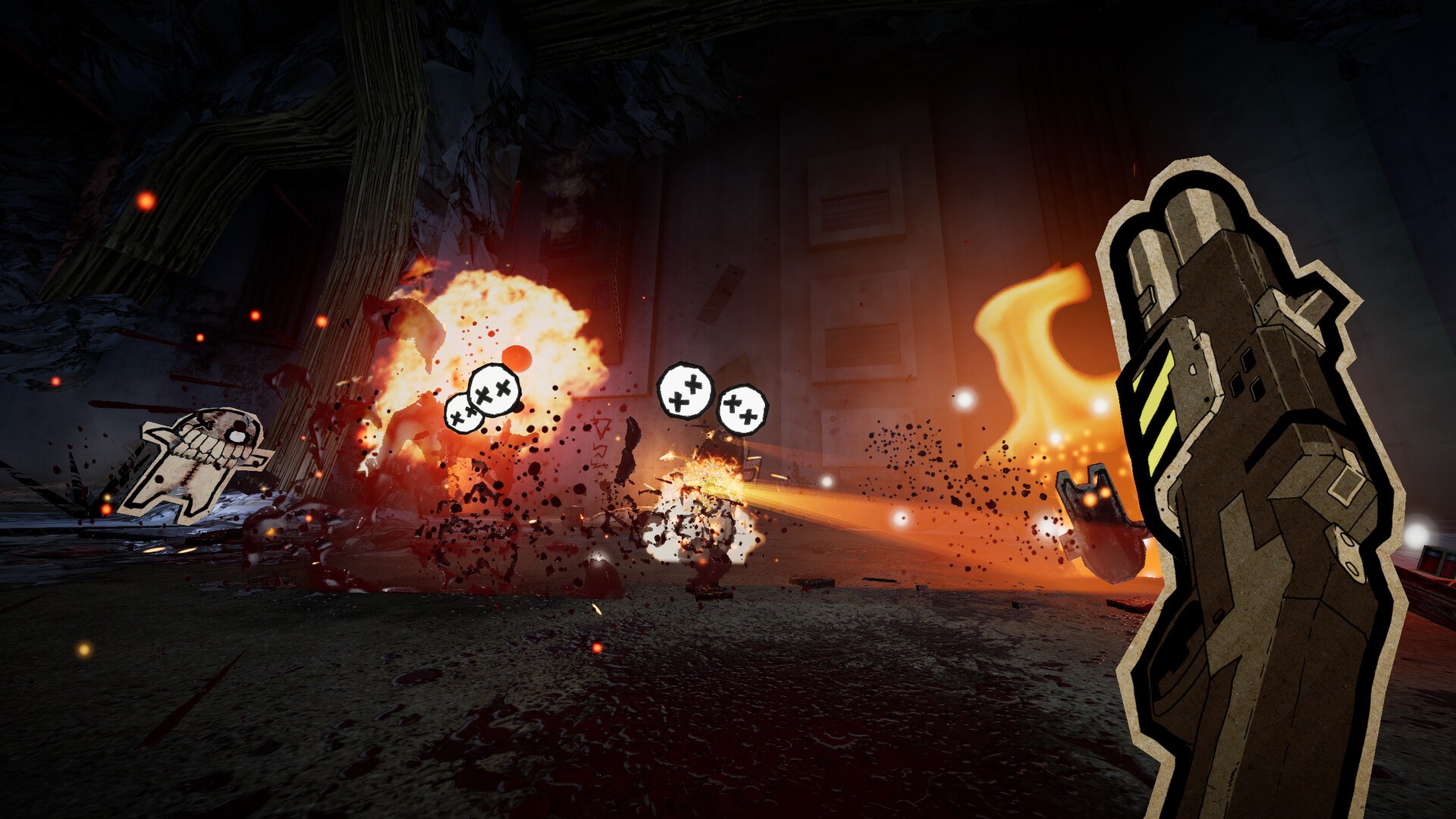
Because the pencil can draw doors, it is worth asking whether a wall is a wall before you treat it as one. The store page does not list which surfaces are drawable, which objects are kickable or which enemies can be launched, so the safe assumption is that anything the game lets you interact with is worth testing once.
Where New Players Get Stuck
The honest answer is that the published material does not name the sticking points. There is no documented difficulty setting, no documented checkpoint or save system, no documented map and no documented inventory. If you go looking for a minimap or an objective marker, that is not documented yet either. What is documented is the tone: the game carries a Steam content descriptor for cartoonish blood and gore, and the store page warns you not to cut your fingers in the process. Treat the cute art as a wrapper rather than a promise of a gentle time.
The practical habit that avoids most early frustration is to explore the facility rather than sprint through it, and to keep the pencil ready for the moments when shooting is the wrong answer.
What to Read Next
Once movement and the pencil feel natural, the next stops are PAPERHEAD gameplay for the loop in more detail, PAPERHEAD weapons for how the pencil and the guns divide the work, and PAPERHEAD tips for habits worth building before the difficulty catches up. If you have not bought it yet, PAPERHEAD price covers what the store page currently charges.
FAQ
1.What kind of game is PAPERHEAD?
The Steam store page describes it as a mix of a fast-paced movement boomer shooter and an adventure horror game, set in a cute cardboard world. It is a single-player Windows title from Paperhead te4m, published by HypeTrain Digital.
2.What should I learn first?
Movement. The store page builds combat around tossing enemies into the air, kicking exploding barrels and jumping on heads, and it says the pencil is a tool for changing the world as much as a weapon. Getting comfortable with where you can go matters more in the first hour than mastering a weapon.
3.What weapons do I start with?
The store page names the magical pencil, a good old shotgun and various other weapons. It does not publish a weapon list, a starting loadout or an unlock order, so those specifics are not documented yet.
4.How long is the game?
Not documented yet. The store page does not state a completion time, a chapter count or a level count for PAPERHEAD.
5.Is there a tutorial?
Not documented yet. The store page does not describe a tutorial, a training area or a difficulty setting.
More in Start Here
More start here pages in PAPERHEAD.
References
- PAPERHEAD on Steam
- PAPERHEAD app details (Steam Web API)
- PAPERHEAD Steam Community
- PAPERHEAD official account
Facts on this page are compiled from the references above. Items marked "to confirm" are single-source and not yet verified.