
Gear.Club Unlimited 3 · Start Here · Guide
Gear.Club Unlimited 3 Beginner Guide — First Hour
A Gear.Club Unlimited 3 beginner guide to the opening hours: Story mode in Japan, the new highway traffic races, garage tuning and where new drivers stall.
By the Game Atlas team · Updated 2026-10-11
On this page (10)
- What Gear.Club Unlimited 3 Is
- Your First Hour in Story Mode
- The Systems You Will Touch Most
- Where New Drivers Stall
- Where to Go Next
- What is the best way to start Gear.Club Unlimited 3?
- How many cars are in Gear.Club Unlimited 3?
- Do I need a wheel to play Gear.Club Unlimited 3?
- Can I play Gear.Club Unlimited 3 with friends?
- Is Gear.Club Unlimited 3 an Early Access game?
Gear.Club Unlimited 3 is a racing game from developer Eden Games, published by Nacon, and it arrived on Windows through Steam on October 8, 2026 at $39.99. If you are starting fresh, the short answer is to begin in Story mode, treat your first cars as learning tools rather than showpieces, and build one car you actually understand before you spend across the whole garage.
What Gear.Club Unlimited 3 Is
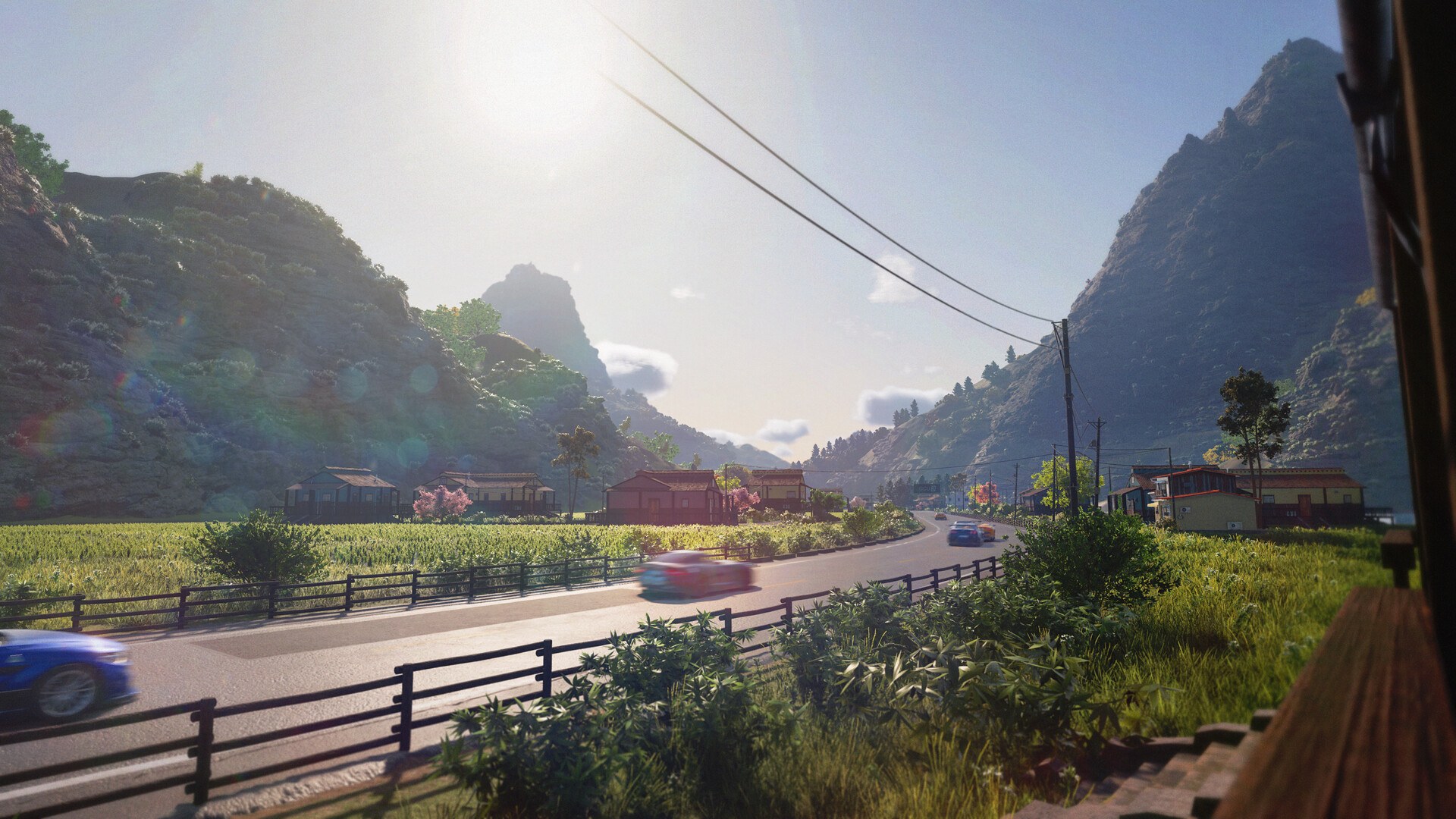
This is the first entry in the series to leave Europe, taking the club-building structure to Japan alongside the returning French Mediterranean coast. The store page frames the loop as creating and growing Gear.Club in Japan, immersing yourself in the local car culture, challenging rivals and extending the club's influence on a new continent. The facts below are the ones a new driver checks before the first race.
| Item | Gear.Club Unlimited 3 |
|---|---|
| Release date | October 8, 2026 |
| Developer / Publisher | Eden Games / Nacon |
| Price (US) | $39.99 |
| Platform | Windows (Steam) |
| Genres | Racing, Simulation, Sports |
| Cars | Over 40, per the store page |
| Tracks | 50, in France and Japan |
| Achievements | 26 |
| Languages | 11, including English, French, German, Japanese and Korean |
Your First Hour in Story Mode
Story mode is the anchor. The store page says it is up to you to create and grow Gear.Club in Japan, and that every win and every choice you make will leave its mark on your journey. That wording matters for a new player: the mode is presented as a progression you build rather than a fixed ladder, so your early choices about which events to enter and which car to develop are the decisions that carry forward.
Practically, the first hour is about learning two different kinds of driving. Races and Time Attacks reward clean lines and pace, while the new highway mode asks you to fight through traffic in France and Japan, anticipate car trajectories, change lanes at the right time and narrowly miss opponents while overtaking. Do not treat the highway races as ordinary races with extra obstacles; they are a separate skill, and the store page explicitly ties them to mastering speed and handling at the same time.
The Systems You Will Touch Most
Four systems come up again and again in the official description, and they are worth understanding early because they set the pace of your progress.
- Customisation: paint, bodywork, rims and mechanical performance are all listed as editable, so a car is a project rather than a fixed purchase.
- The garage: the store page names Customize your garage as a key feature, which makes the garage itself part of the progression rather than a menu.
- Track variety: 50 tracks across France and Japan, including highway routes that behave differently from circuit racing.
- Modes: Story mode, races, Time Attacks and the new highway traffic mode sit alongside the multiplayer categories listed on Steam.
Where New Drivers Stall
The mistakes that cost the most time in a car game of this shape are usually about spreading attention rather than about driving skill.
- Spending on many cars instead of developing one, when the store page presents deep mechanical and bodywork customisation as the core of the experience.
- Treating the highway mode as a normal race and being surprised by traffic you did not read early enough.
- Ignoring the difficulty setting: the Steam categories include Adjustable Difficulty, so a wall of losses is a signal to move it rather than to grind.
- Overlooking that the game supports Shared/Split Screen and Remote Play Together, which changes how you can practise with another driver.
Where to Go Next
Once you are past the opening, the gameplay page breaks down the core loop, the walkthrough lays out the order to tackle content in, and the tips page collects the small habits that save time. If you have not installed yet, read the system requirements first, then check the car list and the achievements if you plan to complete the game.
FAQ
1.What is the best way to start Gear.Club Unlimited 3?
Start in Story mode. The store page describes Story mode as the place where you create and grow Gear.Club in Japan, challenge rivals and extend your club's influence, so it is the mode that frames your early progression.
2.How many cars are in Gear.Club Unlimited 3?
The store page says over 40 prestigious cars from European and Japanese manufacturers, and lists the key features as 40 dream cars from top manufacturers. The individual car list is not documented yet.
3.Do I need a wheel to play Gear.Club Unlimited 3?
No. The store page lists full controller support and marks the game as Gamepad Recommended with a Keyboard Only option, so a standard gamepad is the intended input and a keyboard works as a fallback.
4.Can I play Gear.Club Unlimited 3 with friends?
Yes. The Steam categories include Multi-player, Co-op, PvP, Shared/Split Screen, Shared/Split Screen PvP, Shared/Split Screen Co-op and Remote Play Together.
5.Is Gear.Club Unlimited 3 an Early Access game?
No. The Steam API record lists it as a released game with a date of October 8, 2026, and does not mark it as coming soon or early access.
More in Start Here
More start here pages in Gear.Club Unlimited 3.
References
- Gear.Club Unlimited 3 on Steam
- Gear.Club Unlimited 3 app details (Steam Web API)
- Gear.Club Unlimited 3 Steam Community hub
- Gear.Club Unlimited 3 news hub on Steam
Facts on this page are compiled from the references above. Items marked "to confirm" are single-source and not yet verified.