
Superhero Simulator · Systems · Guide
Superhero Simulator How to Dodge — How to Pay Rent
Superhero Simulator how to dodge: watch the spider-sense squiggles above your head, keep your momentum, and what the game does and does not document.
By the Game Atlas team · Updated 2026-10-08
On this page (6)
There is no separate dodge button documented for Superhero Simulator, and the honest answer is that dodging is tied to timing and the game's own tell: before an enemy lands a hit, a squiggle of lines appears above your hero's head. Community feedback calls that cue the spider-sense and notes that the game gives only a visual warning, not an audio one. Reading that cue and reacting fast is the whole dodge game as far as the sources describe it.
What the game shows before a hit
The combat loop is inspired by the Arkham series, with an emphasis on striking and countering, and the incoming-attack signal is the piece that matters for defence. In a detailed feedback post, a player explains that the little spider-sense squiggles appear above the head when an attack is incoming, and that there is no matching sound. The same post also complains that there is no audio feedback for a successful dodge either, only a visual one.
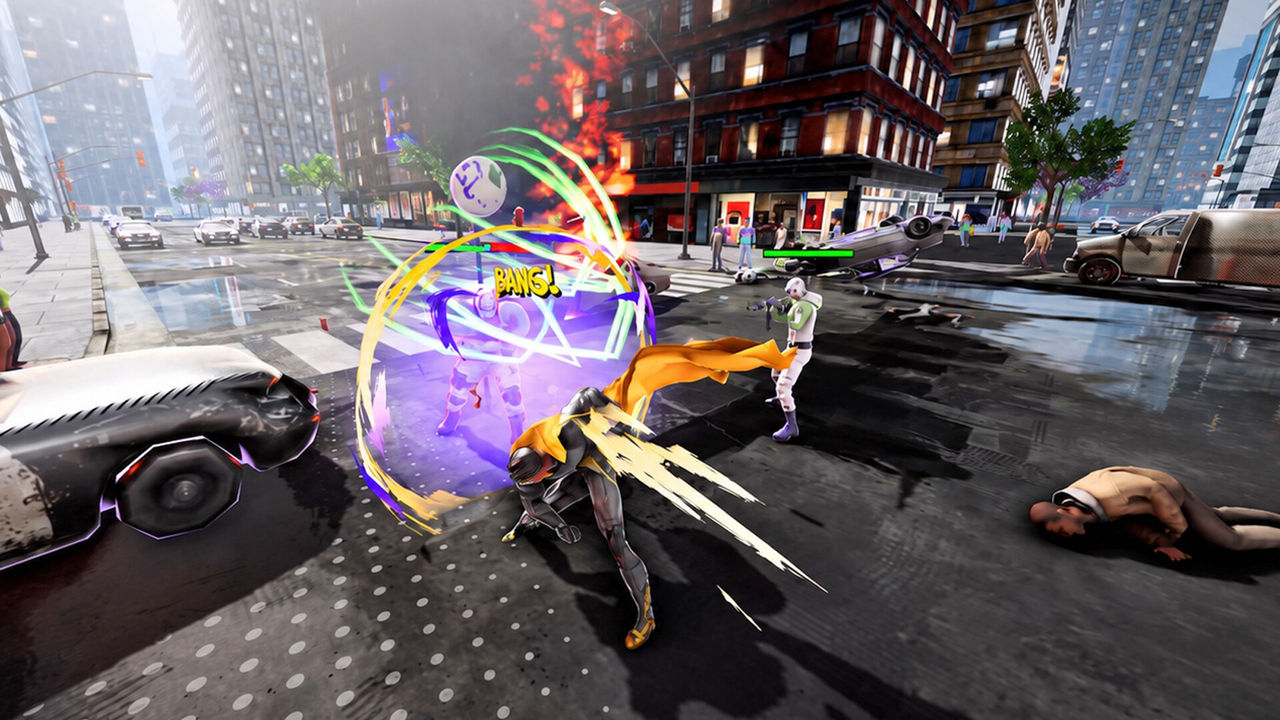
Because the cue is visual only, watching the space above your hero rather than the enemy is the practical habit. That is a community-reported behaviour, so treat the exact timing window as to confirm.
How to avoid taking damage
Until a documented dodge input surfaces, the reliable approach is to read the cue and reposition instead of trading hits. The movement system helps here, because flight and momentum-based travel let you break contact quickly.
- Watch for the spider-sense squiggles above your head before any hit.
- Keep moving; the flight and momentum system is the game's core traversal tool.
- Trade fewer hits rather than standing and brawling.
- Expect combat to feel better as your level and gear improve.
What is not documented yet
Two things are still open. First, no source documents frame data, dodge-window timing or a named evade input, so there is nothing precise to quote. Second, the idea of villains creating hazards during chases that the player must dodge is a player suggestion in the Steam discussions, not a shipped mechanic, so do not plan around it.
- A named dodge or evade binding: not documented yet.
- Dodge i-frames or timing windows: not documented yet.
- Villain chase hazards to dodge: player suggestion only.
None of this should distract from the survival half of the game, where rent of 300 Gollars lands every 5 days regardless of how well you fight; the paying rent page covers that timer.
FAQ
1.Is there a dedicated dodge button in Superhero Simulator?
No separate dodge input is documented in the sources we captured. Dodging is described through timing and the incoming-attack cue rather than a named button, so to confirm the exact binding in your own build.
2.What is the spider-sense cue above the hero?
Community feedback describes squiggles that appear above your head when an attack is incoming, and calls them the spider-sense. It is the visual warning that a hit is about to land.
3.Does the game give an audio warning before a hit?
One detailed feedback thread states that the game gives only visual cues, with no audio cue for an incoming hit or a successful dodge, and asks for both. That is a single-source claim, so to confirm against the current build.
More in Systems
More systems pages in Superhero Simulator.
References
- My feedback so far - Superhero Simulator General Discussions
- Suggestions - Superhero Simulator General Discussions
- Superhero Simulator on Steam
Facts on this page are compiled from the references above. Items marked "to confirm" are single-source and not yet verified.