
Gladio Mori · Start Here · Guide
Gladio Mori How to Multiplayer — Best Moveset
Gladio Mori how to multiplayer: host or join an arena for up to four players with crossplay between Steam, PS5 and Xbox, on peer-to-peer hosted matches.
By the Game Atlas team · Updated 2026-10-05
On this page (10)
- How Gladio Mori multiplayer is set up
- Hosting, joining and inviting friends
- Fixing connection and lobby problems
- Does Gladio Mori have crossplay?
- How many players does Gladio Mori support?
- Is there a co-op campaign?
- Are Gladio Mori servers peer to peer?
- Do I need port forwarding to play with friends?
- Why does my Gladio Mori lobby fail to connect?
- What did the September 24 hotfix change for multiplayer?
Gladio Mori multiplayer puts up to four fighters in one arena, with crossplay connecting Steam, PlayStation 5 and Xbox Series X/S in a single pool. There is no co-op campaign: the solo story is single-player and online play is PvP, either as small duel setups or as free-for-alls depending on how the host configures the lobby. Matches are hosted rather than run on central servers, so the connection is peer-to-peer in practice even when Steam is handling the matchmaking.
How Gladio Mori multiplayer is set up
The short version from the developer is that the person hosting is always running the server. A reply in the Steam discussions from a developer account explains that there are two ways to connect, and that the difference is only how the connection is made. The first is a direct IP connection, described as one for testing and LAN parties, which needs port forwarding and your address shared with the people you want to play with. The second is a Steam lobby, where the host creates a lobby that is listed in the lobby browser and the connection runs through it, so no port forwarding is needed.
The second route also has a privacy wrinkle: depending on an individual Steam setting, messages are relayed through Steam so IP addresses are not exposed, but that setting can be changed to allow a direct IP connection, which the same reply says may improve ping. That is the trade the game asks you to make.
| Hosting route | Setup needed | Notes |
|---|---|---|
| Steam lobby | None | Lobby appears in the browser, no port forwarding |
| Direct IP | Port forwarding and sharing your address | Aimed at testing and LAN-style sessions |
| Crossplay lobby | None, but check the demo-compatible setting | Console and PC players share the arena pool |
Hosting, joining and inviting friends
Inviting from the same platform is the easy path, because you can go through the platform friends list from inside the game lobby. Cross-platform sessions use the game's own lobby system instead, and the community guide on multiplayer makes one point that causes most launch-week failures: both sides need the newest patch installed, because hotfix 1.0.2.1 reached each platform as it propagated and mismatched versions cannot meet.
- Patch the game on every platform involved and restart it.
- Create or join a lobby, then set the match rules as the host.
- If the session is cross-platform, confirm everyone is on the same patch level.
- Set up external voice chat, because the game itself is a fight-in-silence experience.
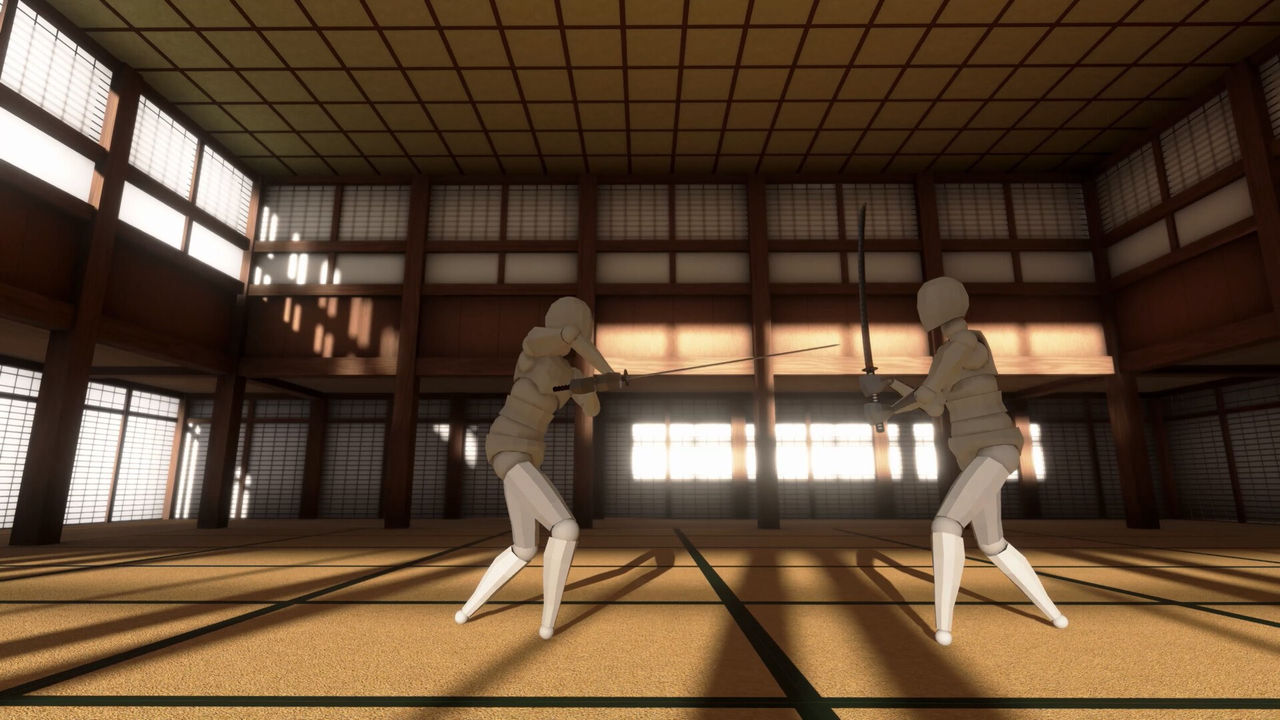
Two smaller habits help. Match sizes are host-configured, so ask before assuming a lobby is a duel rather than a brawl, and pick-up lobbies tend to expect custom movesets to be tested in the campaign first rather than trialled on strangers.
Fixing connection and lobby problems
The single most reported launch issue is a failed to connect message when joining a lobby. The community guide lists the fixes in the order that actually helps, and they are all cheap to try before you blame the netcode. If none of them works, the Steam discussions are where launch-week connection reports collect, including which workarounds helped other players.
- Verify that both sides are on the same patch level, the most common cause in launch week.
- Restart the game after patching to clear transient lobby-join failures.
- Try a different region or time, since the player pool is thin outside peak hours.
- Check the Steam discussions for the current known issues before opening a thread.
Version 1.0.3.2 also improved the lobby itself: AI opponents now wait until every player has joined before moving, the AI amount is hidden when the player count means no AI spawns, a demo-compatible button was added for crossplay hosts, a default P2P port option appeared for players whose network needs a fixed port, and hosts can type a reason when kicking or banning someone. The demo-compatible button is worth reading twice, because the patch notes say it only changes settings and that mods still have to be disabled by hand.
The move editor is an official 1.0 feature rather than a mod: the publisher's key features describe a fully customizable editor that lets you animate your fighter's body to design efficient strikes, recreate moves from films or games, or build combos, and community-created movesets can be borrowed.
FAQ
1.Does Gladio Mori have crossplay?
Yes. Steam, PlayStation 5 and Xbox Series X/S fighters share the same arena pool, which is why the game is described as full crossplay. A community guide notes that console lobbies filled fast during launch week as a result.
2.How many players does Gladio Mori support?
Online arenas run for up to four players, and the lobby configuration set by the host decides whether that is a small duel setup or a free-for-all. The store page also lists split-screen play locally, and a co-op listing describes up to four players online or up to four on one console.
3.Is there a co-op campaign?
No. Online play is arena-based PvP and the solo campaign is single-player, so there is no co-op story mode. The gladiomori.site multiplayer guide notes that this is one of the most-asked questions in the Steam discussions.
4.Are Gladio Mori servers peer to peer?
Yes. A developer reply in the Steam discussions states that the person hosting is always running the server, and that the difference between the two options is only how the connection is made: a direct IP connection, or a Steam lobby that handles the matchmaking.
5.Do I need port forwarding to play with friends?
Only for the direct IP route. The developer explanation says the IP option is aimed at testing and LAN-style sessions and requires port forwarding plus telling your friends your address, while the Steam lobby route needs no port forwarding at all.
6.Why does my Gladio Mori lobby fail to connect?
Version mismatches are the most common cause in launch week, because hotfixes like 1.0.2.1 arrived on each platform as they propagated. Restart the game after patching, try a different region or time, and check the Steam discussions for what helped other players.
7.What did the September 24 hotfix change for multiplayer?
Version 1.0.3.2 made AI opponents wait until all players have joined before moving, hid the AI amount when no AI spawns, added a demo-compatible setting button for crossplay hosts, added a default P2P port option, and let hosts type a reason when kicking or banning a player.
More in Start Here
More start here pages in Gladio Mori.
References
- Multiplayer and crossplay - Gladio Mori Guide
- peer to peer servers? :: Gladio Mori General Discussions
- Gladio Mori on Steam
Facts on this page are compiled from the references above. Items marked "to confirm" are single-source and not yet verified.