
Seafarer: The Ship Sim · Tables · Index
Seafarer: The Ship Sim Map — How to Fast Travel
Seafarer: The Ship Sim map explained: why the world is fictional, which harbours the patch notes name, and how to fast travel around the map.
By the Game Atlas team · Updated 2026-10-05
On this page (7)
- Is the Seafarer Map Real or Fictional?
- Harbours and Waterways You Will Learn
- How to Fast Travel Around the Map
- Is the Seafarer: The Ship Sim map based on the real world?
- Why did the developers not build a real world map?
- Which harbours are named in the game's patch notes?
- How do you fast travel across the map?
The Seafarer: The Ship Sim map is fictional. It is an open world inspired by Northern European seascapes rather than a recreation of real coastlines, and that choice shapes everything about how you navigate: you learn the harbours the game invents instead of sailing a chart you already know. Fast travel is available from Level 1 to move between them quickly.
Is the Seafarer Map Real or Fictional?
Fictional, by design. An astragon developer answered the question directly in a Steam discussion titled "Why no real world map?", explaining that the studio chose a non-real-life environment to have more creative freedom, aiming for a world that feels believable while remaining fictitious. In the same thread the developer was blunt about the comparison players kept making: the gap between Microsoft Flight Simulator and other titles is hundreds of millions of dollars of budget and billions in cloud infrastructure, which other studios cannot match.
Player reaction in that thread split. Some were disappointed and wanted a real 1:1 world, while others argued the practical case for fiction: a ship might run around 30 km/h, so a route that a plane covers in 50 minutes can take a ship nearly nine hours, which is not a reasonable thing to ask a player to sit through. One reviewer went further and called the map small, describing it as closer to a large lake than an ocean.
Harbours and Waterways You Will Learn
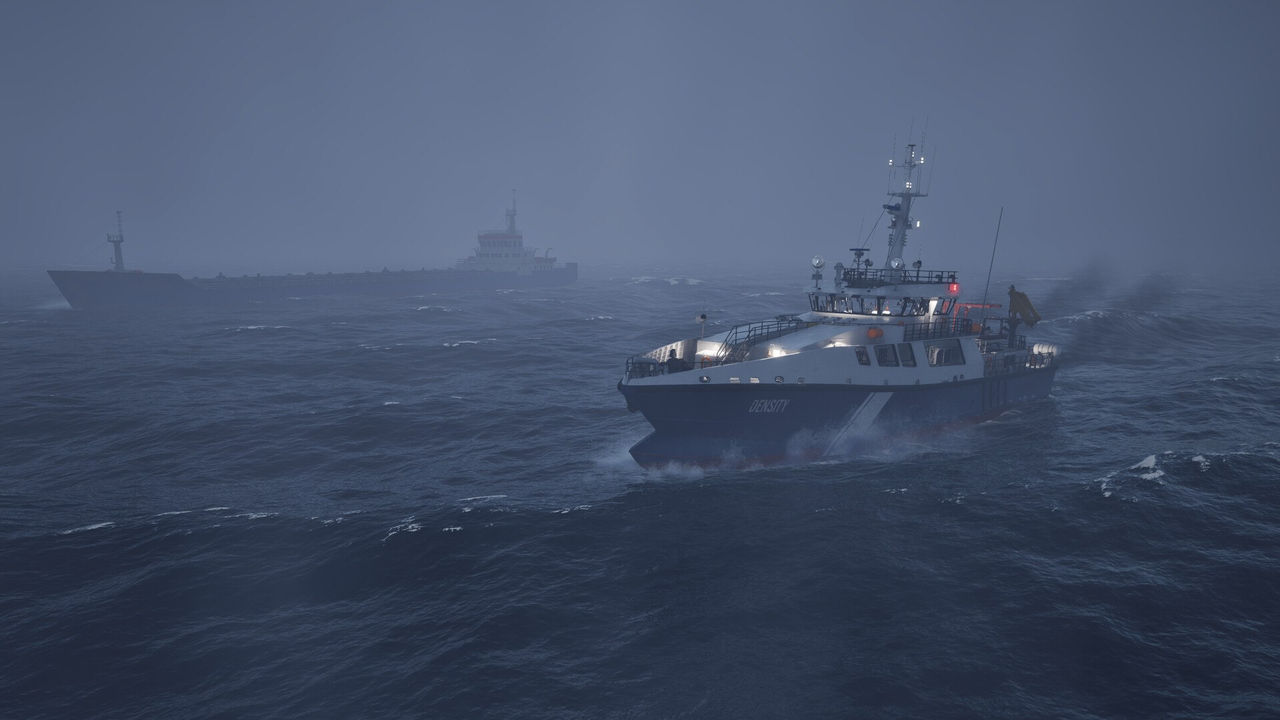
The names that appear in official notes are the starting point for mapping the world. The full release notes place new main missions in Crescentport, Stettach, Mettington and Drachdelen, and the same notes describe four side missions that begin out on the open sea rather than at a harbour. Factions you deal with include Crescent Port Logistics, which runs traditional cargo lines, Tide Patrol, which handles maritime policing, and the Tide Guard, which answers distress calls.
| Location or group | Documented role |
|---|---|
| Crescentport | Mission hub; hosts Flying Dutchman and Eddy's Delivery Service |
| Stettach | Mission hub; hosts A Light on the Horizon and Forbidden Freight |
| Mettington | Mission hub for Eddy's Delivery Service |
| Drachdelen | Mission hub for Eddy's Delivery Service |
| Crescent Port Logistics | Faction offering cargo-line contracts |
| Tide Patrol | Faction offering maritime policing work |
| Tide Guard | Faction associated with distress calls and rescue work |
A complete harbour list, with coordinates or a printable chart, is not documented yet. The in-game map and the mission markers are currently the only authoritative layout, so treat any fan-made list that names more ports than the patch notes do as unverified.
How to Fast Travel Around the Map
Fast travel is the practical answer to a map built at realistic ship speeds. The full release notes state that Fast Travel now unlocks at Level 1, so a new career can use it almost immediately rather than waiting several levels.
The Patch 1.0.1 public beta then added harbour Fast Travel buttons and disabled fast travel while you are inside a harbour area — so step clear of the port before you jump.
- Use harbour Fast Travel buttons added in the Patch 1.0.1 beta.
- Or open the Job Menu and use Travel To to reach a job or destination.
- Remember it is disabled inside harbour areas, per the 1.0.1 notes.
- In multiplayer, avoid Travel To for now: the 1.0.1 known-issues list reports client crashes, worse over longer distances.
Because there is no documented cost attached to fast travel, the main trade-off is that you skip the voyage itself — the weather, the waves and any open-sea side mission you might have sailed into. On a map this size, that is a real choice rather than a free convenience.
FAQ
1.Is the Seafarer: The Ship Sim map based on the real world?
No. It is a fictional open world inspired by Northern European seascapes. A developer explained in a Steam thread that the studio chose a non-real environment for creative freedom, aiming for something believable but still fictitious.
2.Why did the developers not build a real world map?
A developer response in the same thread said the difference between Microsoft Flight Simulator and other titles is hundreds of millions of dollars of budget and billions in cloud infrastructure, which is not feasible for other studios.
3.Which harbours are named in the game's patch notes?
The full release notes name Crescentport, Stettach, Mettington and Drachdelen as mission locations. Factions operating in the world include Crescent Port Logistics and Tide Patrol, with the Tide Guard answering distress calls.
4.How do you fast travel across the map?
Fast travel unlocks at Level 1. You trigger it from harbour Fast Travel buttons added in the Patch 1.0.1 public beta or from the Travel To entry in the Job Menu, and it is disabled while you are inside a harbour area.
References
- The Ship Sim - Why no real world map? :: Seafarer
- Seafarer: The Ship Sim — official site
- Seafarer: The Ship Sim on Steam
Facts on this page are compiled from the references above. Items marked "to confirm" are single-source and not yet verified.