
Seafarer: The Ship Sim · Start Here · Guide
Seafarer: The Ship Sim Tips — How to Fast Travel
Seafarer: The Ship Sim tips for the first hours: progression and unlock order, trading and crew advice, plus essential fast travel timing and unlock notes.
By the Game Atlas team · Updated 2026-10-05
On this page (7)
The best Seafarer: The Ship Sim tips all come back to one idea: the game hides a lot of its controls inside menus and unlocks rather than explaining them in the tutorial, so the fastest gains come from learning the interface and knowing when fast travel opens up. Fast Travel unlocks at Level 1 after the full release rebalance, which means you can use it in your very first session, and the Patch 1.0.1 public beta added dedicated harbour buttons for it.
First-Hour Tips That Save Real Time
Two of the most common Early Access complaints were a tutorial that explained too little and controls that did not respond where players expected them. Both have documented fixes and workarounds.
- Find the crane and machinery controls in the radial menus; a top Steam review reported taking 30 minutes to discover where they were.
- Read the tutorial cards added in the Patch 1.0.1 public beta — they were written specifically to explain systems the launch tutorial skipped.
- Use the radial menus for routine jobs such as switching lights, raising or lowering the anchor, and swapping between vessels.
- Tune the separate steering and throttle dead zones added at full release; the hands-on preview blamed over-corrections on small inputs.
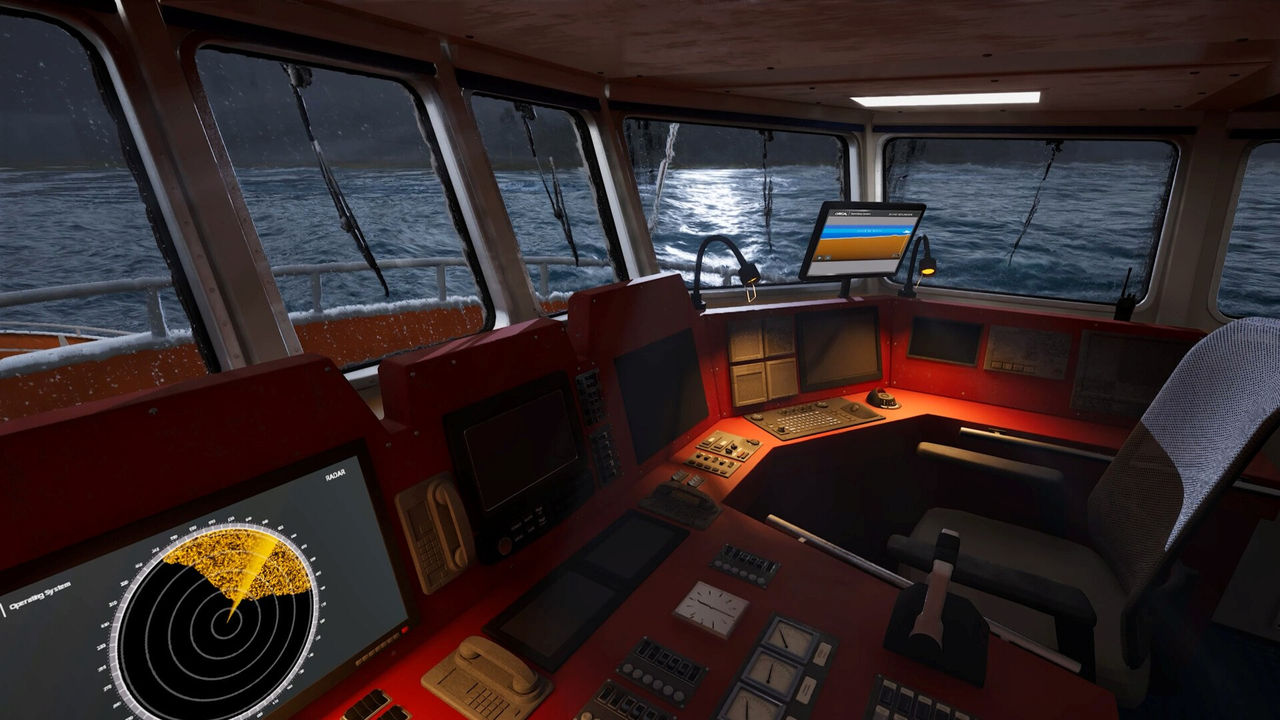
- Switch to first person for panels and cranes, and to third person when you need to judge distance while docking.
- Look for world markers on ship transfers, which were added in the 1.0.1 beta.
Money, Crew and Progression Tips
| Progression point | Detail from the notes | Why it matters |
|---|---|---|
| Fast Travel | Unlocks at Level 1 | Removes long transits early rather than late |
| Crew | Unlocks at Level 2 | Lets you staff the ship for larger contracts |
| Campaign bonuses | Folded into regular mission rewards in 1.0.1 beta | No separate bonus to chase or claim |
| Free Trade | Price now calculated from remaining cargo | A delivery is worth what is still aboard |
| Harbour reputation | Highest tier unlocks special missions | Flying Dutchman and Forbidden Freight need max reputation |
Trading rewards planning rather than speed. Because an automatically completed Free Trade operation is now priced on the cargo still aboard, the old habit of dumping a partial load for a flat payout no longer applies, and the notes also added clearer feedback for the case where a trade will not start because another trade or shift is already running. Ship customisation — names, colours, flags and logos — is cosmetic, so do not spend on it expecting better performance.
Fast Travel Tips and Unlock Timing
- Use fast travel from Level 1; there is no documented reason to grind before using it.
- Prefer the harbour Fast Travel buttons added in the Patch 1.0.1 public beta.
- Trigger it before you enter a harbour area rather than after, because the same patch disabled fast travel while you are inside one.
- If you use the Job Menu's Travel To entry in multiplayer, expect trouble: the 1.0.1 known-issues list ties it to client crashes that get worse over longer distances.
- Expect occasional odd behaviour everywhere: another known issue says teleporting may instead return you to the ship's deck.
- Weigh the trade-off consciously. Skipping a voyage also skips the open-sea side missions — Seal Appeal, Discord, A Sound Anomaly and Secrets of the Deep — which only appear while travelling.
FAQ
1.What is the single most useful tip for a new Seafarer player?
Learn the radial menus early. A Steam reviewer admitted it took 30 minutes to discover that the crane controls are accessed through the radial menu, which is the kind of thing the tutorial does not spell out.
2.When should you start using fast travel?
Immediately. The full release notes moved Fast Travel to Level 1, so it is available from the start of a career, and the Patch 1.0.1 public beta added Fast Travel buttons at harbours.
3.How do you make trading more predictable?
Do not stack jobs: feedback was added for when a trade cannot start because another trade or shift is already active. The full release also changed automatic Free Trade completion to price a load on its remaining cargo rather than a fixed value.
4.Do you still need to claim campaign bonuses?
No. The Patch 1.0.1 public beta integrated campaign bonuses into regular mission rewards, so single-shift jobs no longer provide a separate bonus that has to be claimed.
More in Start Here
More start here pages in Seafarer: The Ship Sim.
References
- FAQ :: Seafarer: The Ship Sim General Discussions
- Seafarer: The Ship Sim — official site
- Seafarer: The Ship Sim on Steam
Facts on this page are compiled from the references above. Items marked "to confirm" are single-source and not yet verified.